Turn one island photo into three travel covers
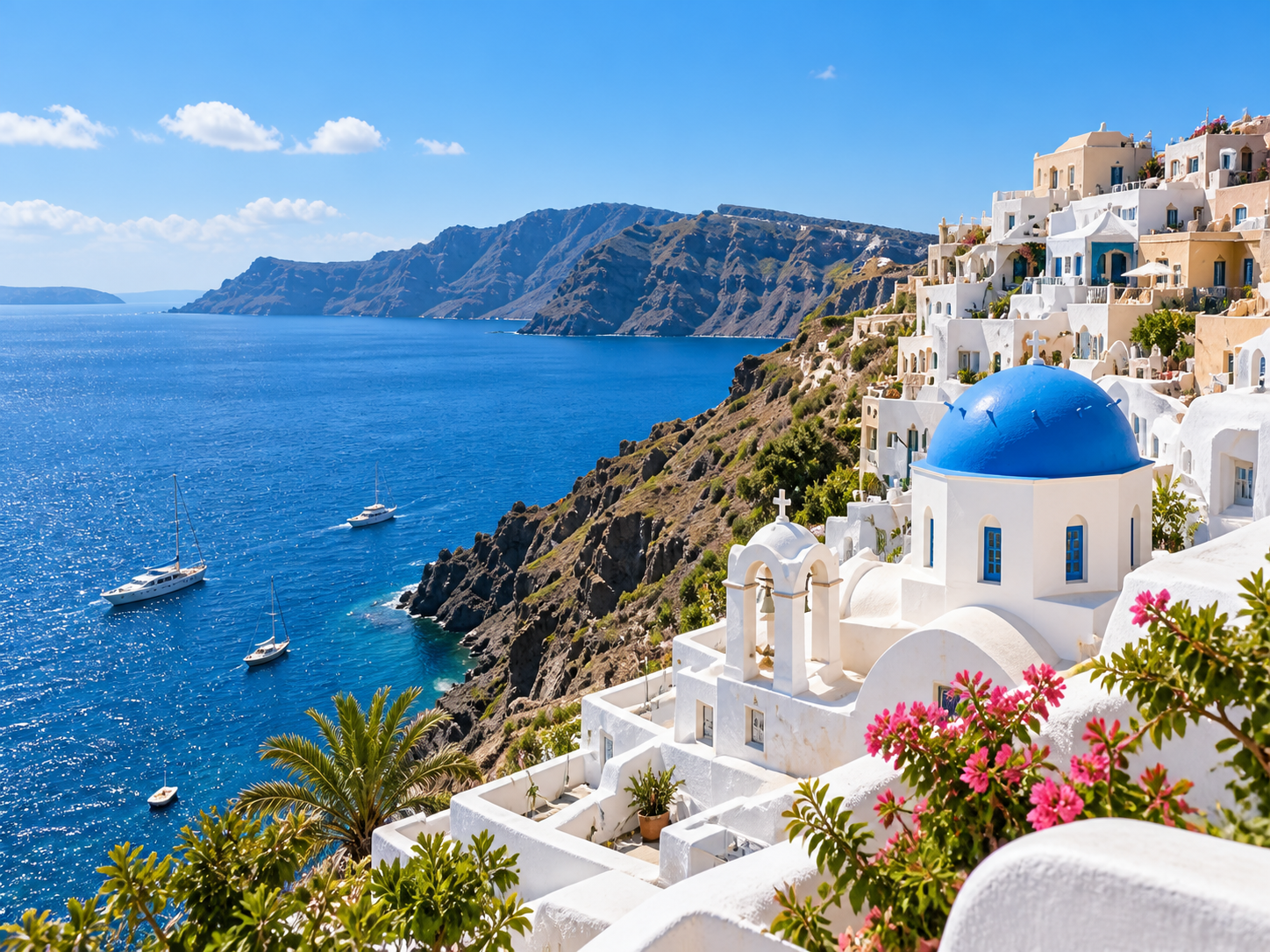
This example uses an island reference with blue-domed architecture, white buildings and a bay to explore image framing, headline hierarchy and color. Each direction produces a complete cover that you can compare on the same canvas.
For travel creators, social media teams and designers exploring editorial covers. These are portrait examples; check the required dimensions for your publishing platform before exporting.
Read-only example · No login needed to explore. View the original prompts in Task history, then log in to copy the project. Original prompts and artwork text are in Chinese.
Source · Island reference
Minimal journal
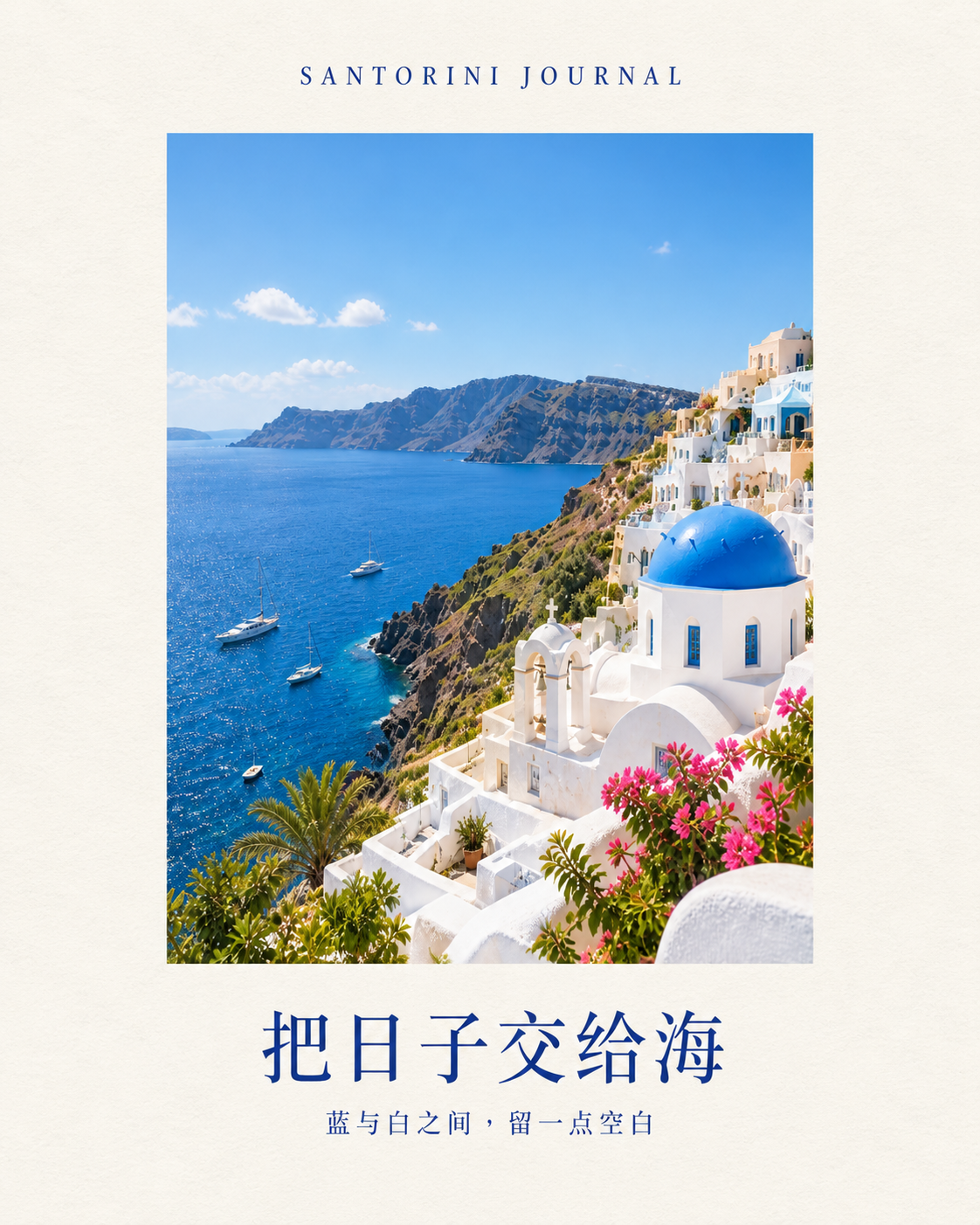
View original prompt (Chinese)
请仅使用附带的 travel-source.png 原图,制作第二张独立的竖版旅行社交封面,保留已有作品。方向二:极简海岛手记。保留蓝顶教堂、白色建筑与海湾景观,把照片放在暖白纸感版面中部的大幅竖向窗口,四周留出宽阔整洁边距。顶部用小号深蓝文字“SANTORINI JOURNAL”,底部大标题“把日子交给海”,次标题“蓝与白之间,留一点空白”。排版像精致旅行书封面,自然柔和光线,色调淡雅,照片占主要面积。不要沿用第一张满版照片设计,不要拼图,不生成界面,不添加无关地标。只交付这一张完整封面,直接使用当前可用竖版设置。
Travel editorial
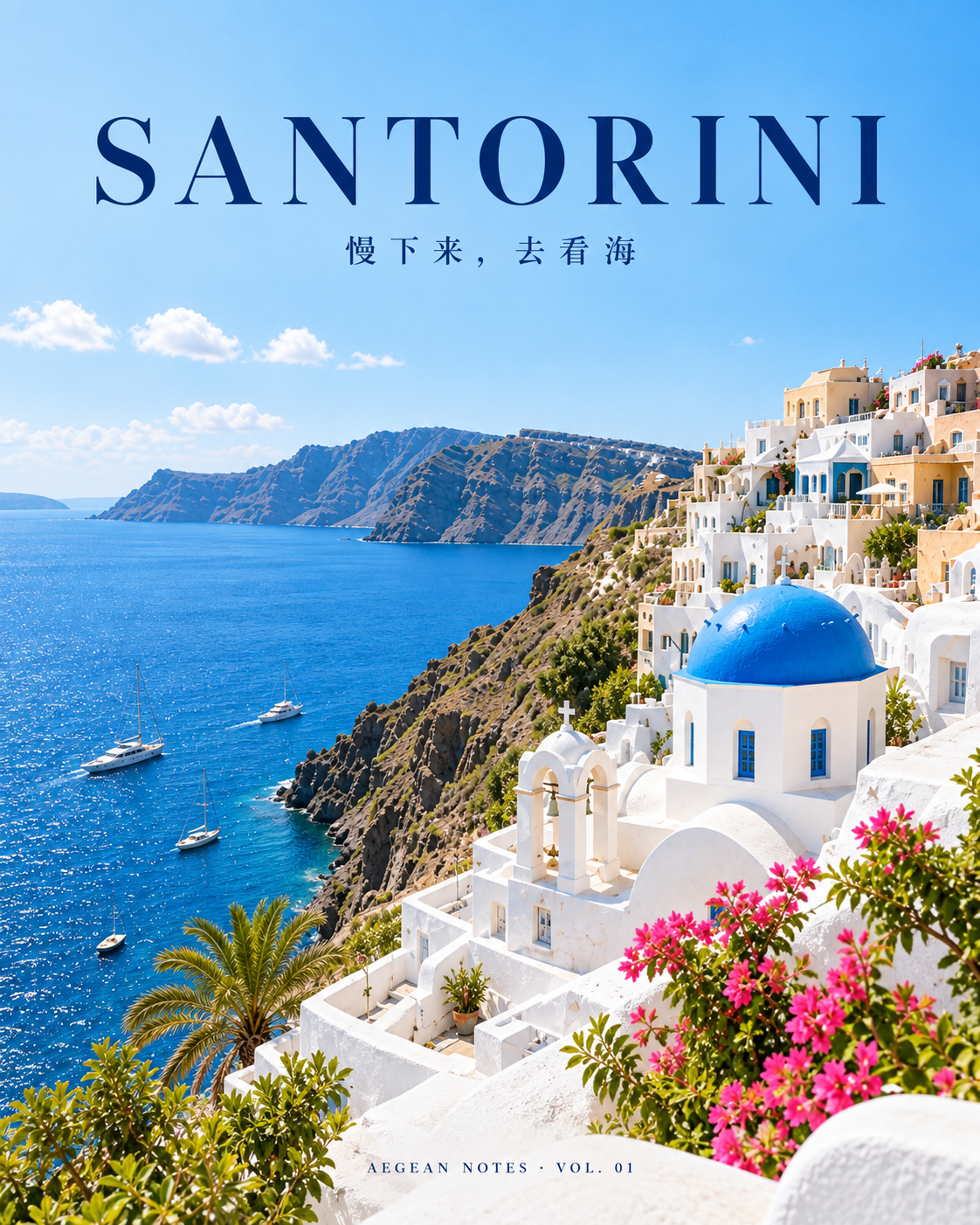
View original prompt (Chinese)
请使用附带的 travel-source.png 作为参考,制作一张竖版旅行社交封面。保留照片中的蓝顶教堂、白色悬崖建筑与蓝色爱琴海,不能换成其他城市。方向一:高级旅行杂志。用完整海岛摄影作为主视觉,暖白留白与精致深蓝衬线排版,层次克制。上方大标题“SANTORINI”,小字“慢下来,去看海”,底部小字“AEGEAN NOTES · VOL. 01”。确保文字完整可读,画面清爽,保留蓝白建筑细节。只生成一张完整封面,不要拼图,不生成界面。直接使用当前可用竖版设置完成,无需再次确认比例。
Summer escape
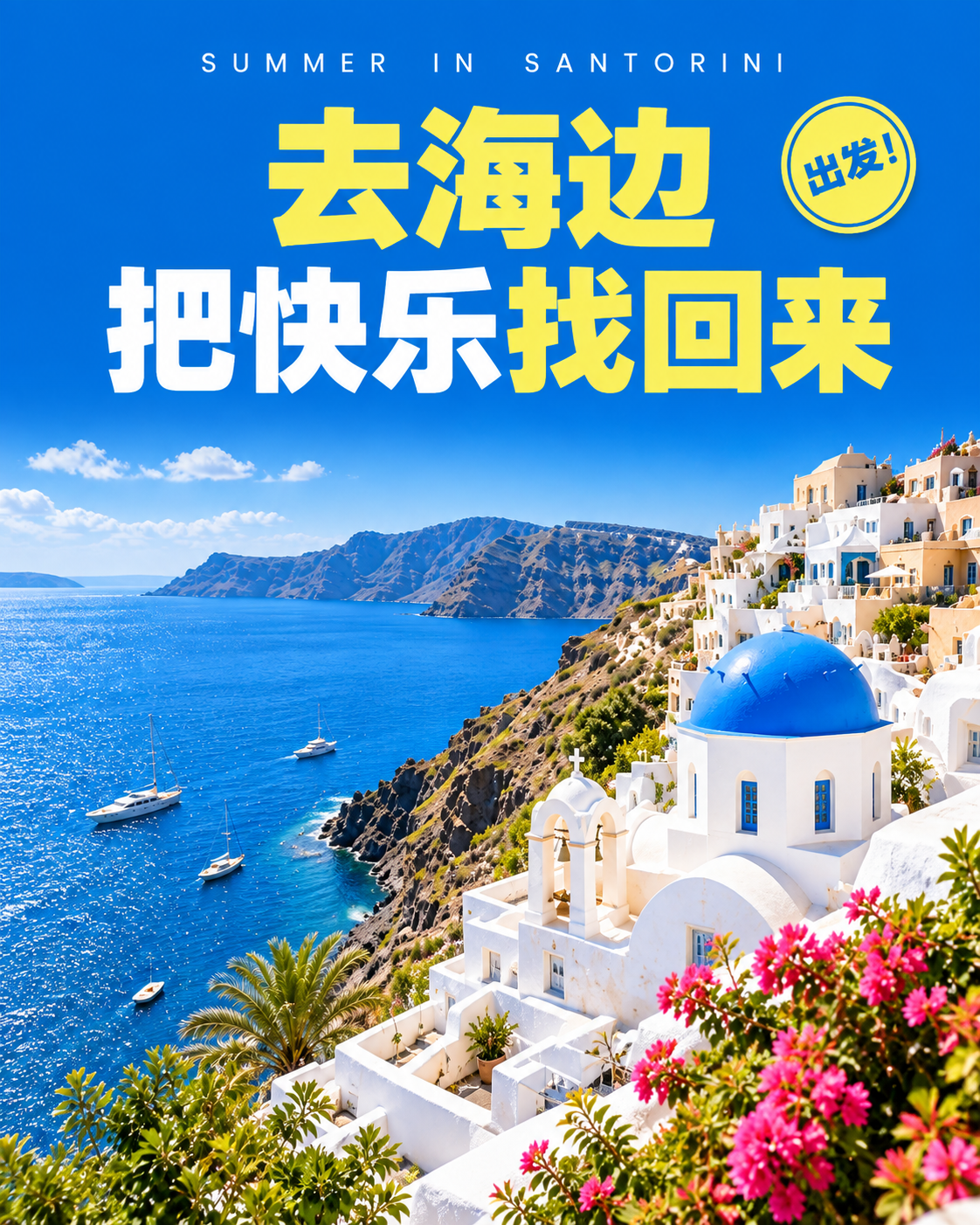
View original prompt (Chinese)
请仅使用附带的 travel-source.png 原图,制作第三张独立竖版旅行社交封面,保留已有两张作品。方向三:醒目夏日出发。保留蓝顶教堂、白色悬崖建筑与爱琴海,以鲜明的钴蓝和暖黄色形成高对比,海岛照片占下方三分之二,上方大字排版标题“去海边”“把快乐找回来”,顶部小字“SUMMER IN SANTORINI”,添加一个简洁的小圆贴纸文字“出发!”。整体年轻有活力,文字清楚有力量,画面有设计感但不要杂乱。不要白边书封风格,不拼图,不生成界面,不添加其他城市地标。只输出这一张完整封面,直接使用当前可用竖版设置。
How this example was made
Identify the details to keep from the reference
Use the same island image and specify the blue dome, white cliffside buildings and bay so the request does not introduce unrelated landmarks.
Distinguish the covers through layout
Minimal journal uses warm-white margins and a photo window. Travel editorial pairs a large island photograph with a deep-blue headline. Summer escape uses cobalt blue, warm yellow and bold typography.
Review the landmarks and copy, then make it your own
Compare the source and generated outputs, checking architecture and text. Log in to copy the workbench, then continue with your own travel photos, location and headlines.
What to check before continuing
- Review landmarks and scene details; generated images do not verify facts about a real location.
- Check headlines, small text and margins against the platform’s crop.
- Use photos you have permission to publish.
How to use this workbench
Browse without logging in and open Task history to read each result’s original prompt. Log in to copy the project, then continue with your own references and copy. New tasks use your account’s applicable credits and pricing.
View credits and pricing